
Login to your accountTo unsubscribe from PlanHero, just downgrade your account to a FREE subscription:
- Login to your account.
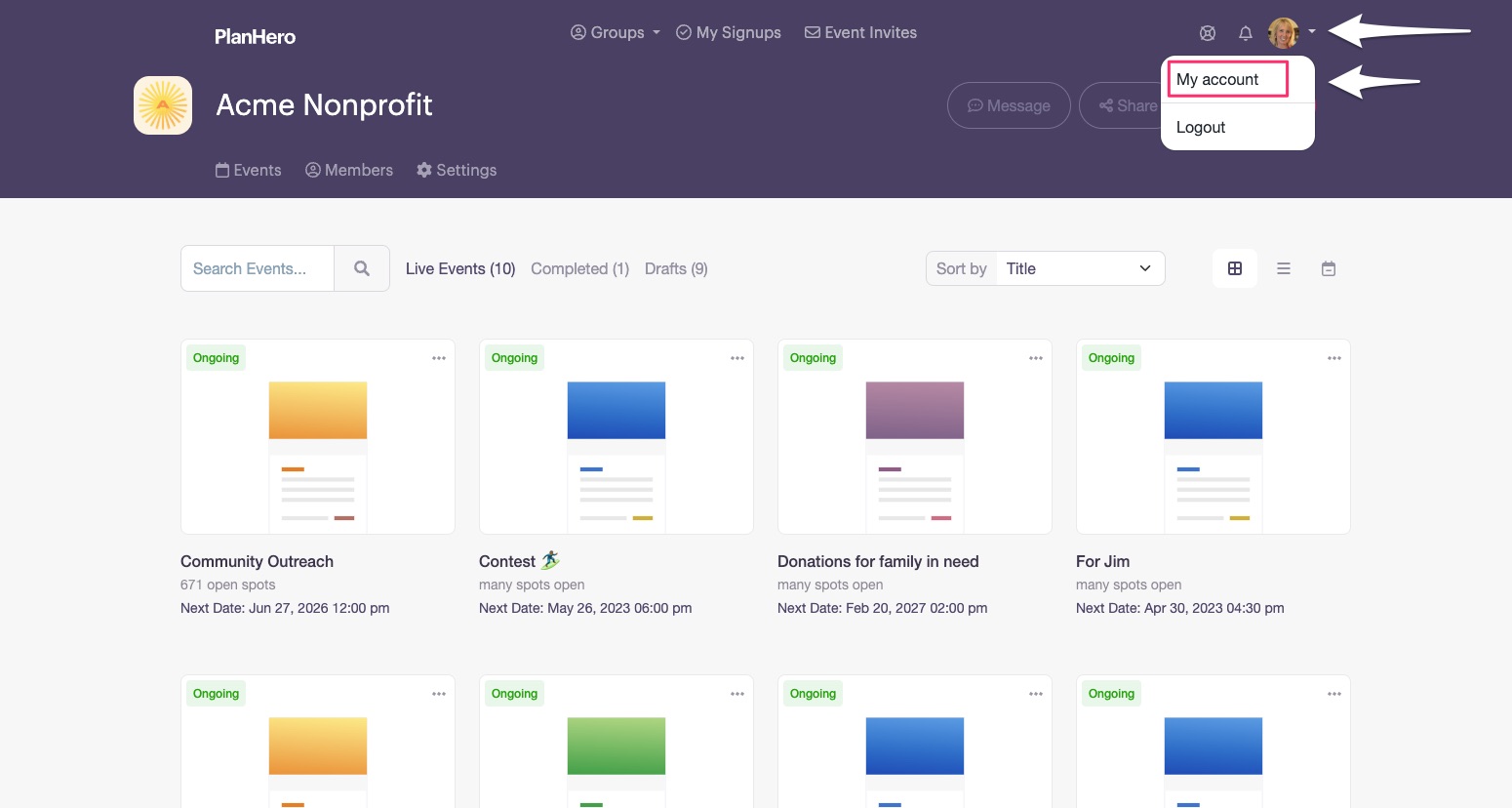
- Click on your Profile Icon (see screenshot).
- Click on My account.
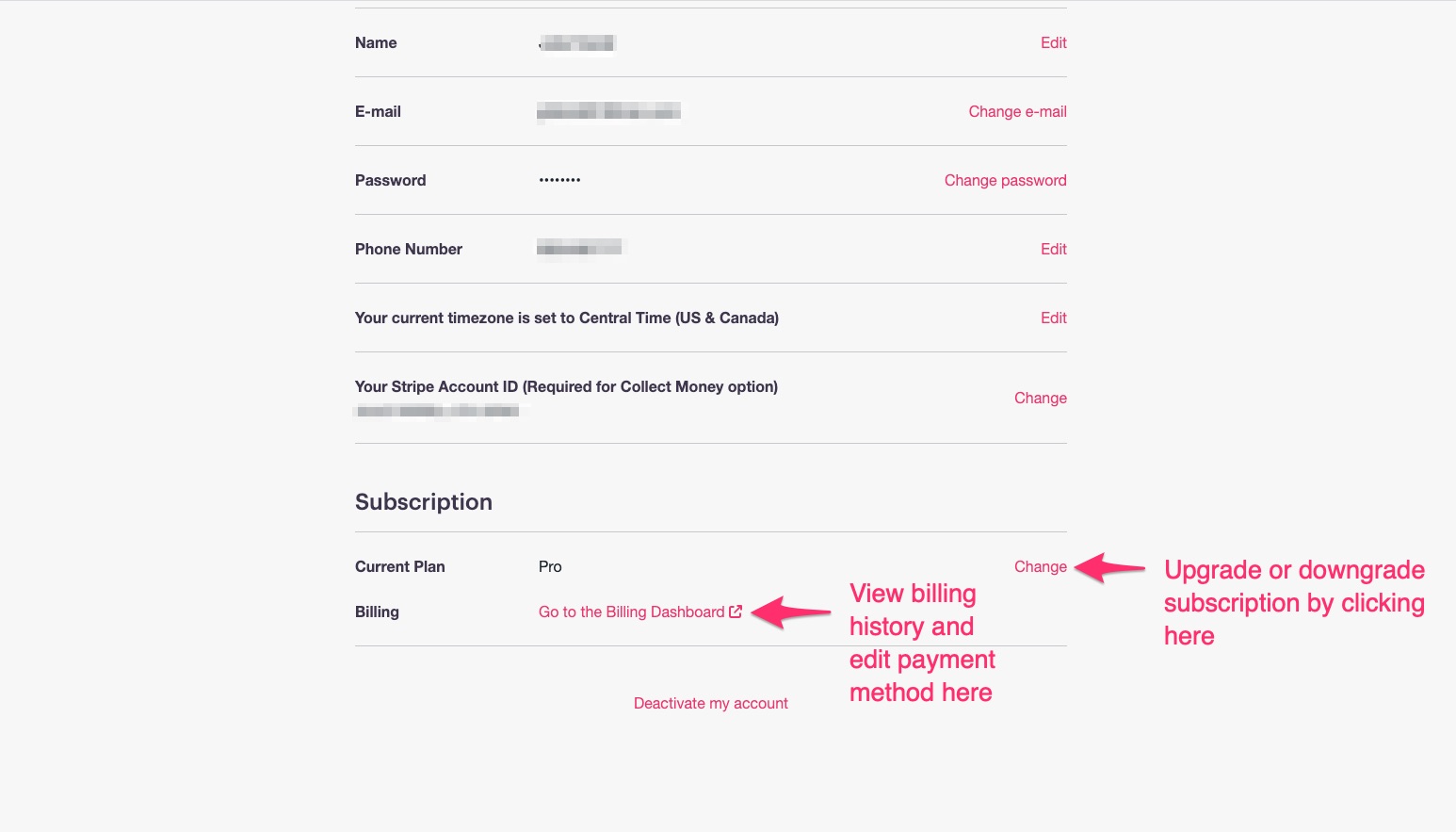
- Scroll down to SUBSCRIPTION and click CHANGE (see screenshot).
- Select the FREE subscription.
That’s it! This will downgrade your account to a Free subscription until such time as you need the features of a paid subscription again.
After downgrading your account to a FREE subscription, your account will be active until the current timeframe of your paid subscription has expired (either at the end of your current subscription month or your current subscription year depending on your plan). You will not be billed for your next scheduled billing cycle.