There are three places where you can view/find the Message for Organizer that a participant sometimes adds on their final signup confirmation page.
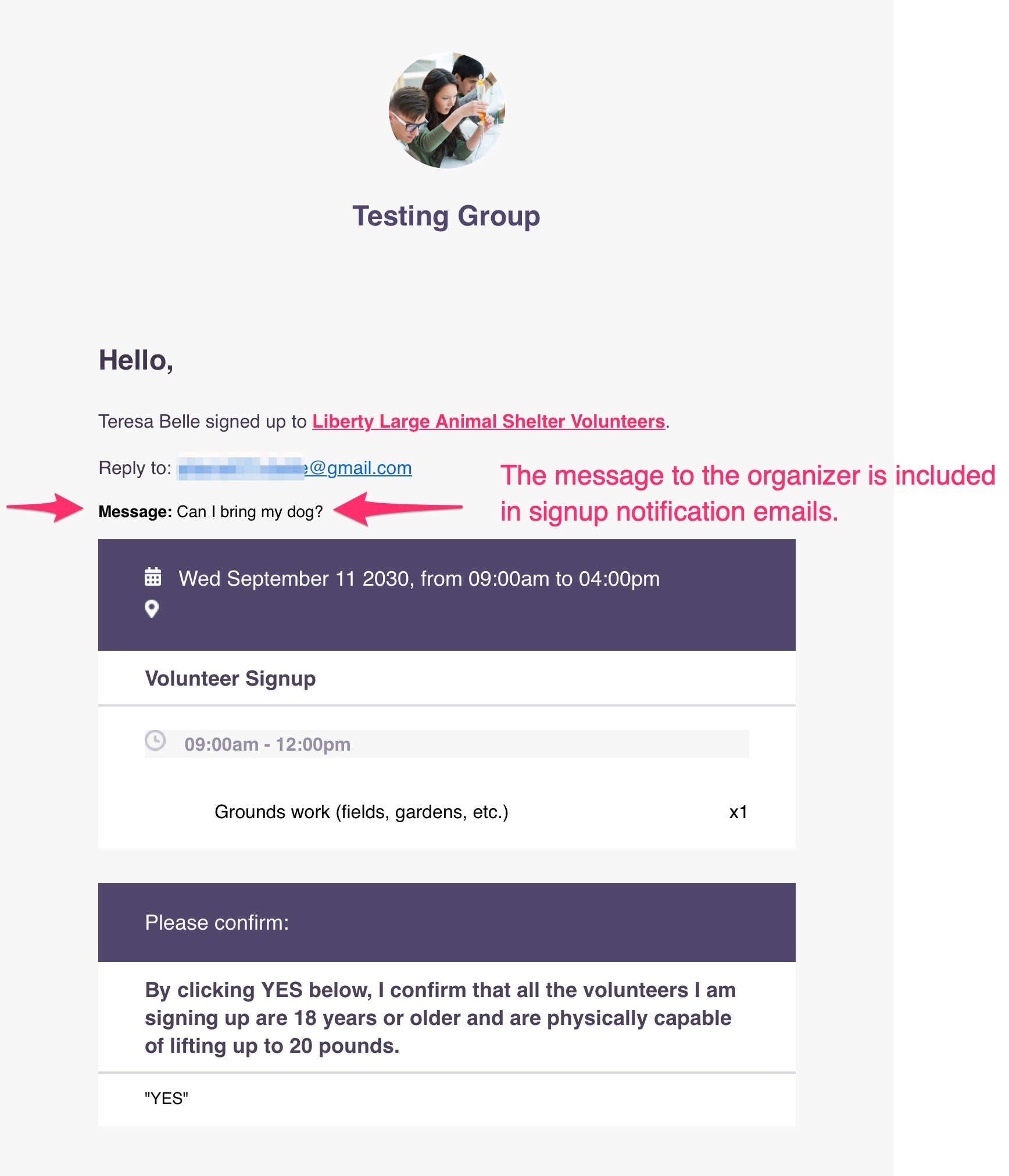
1. Via the signup confirmation email:
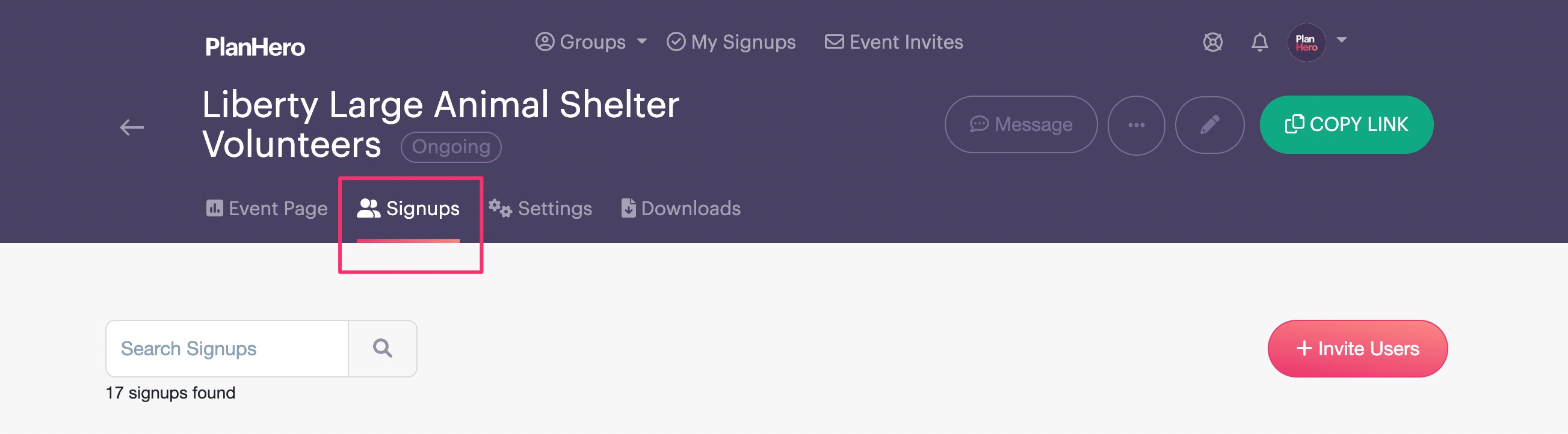
2. Via the Signups tab:
Scroll down the signups - if the icon below is displayed, the participant added a Message for Organizer:

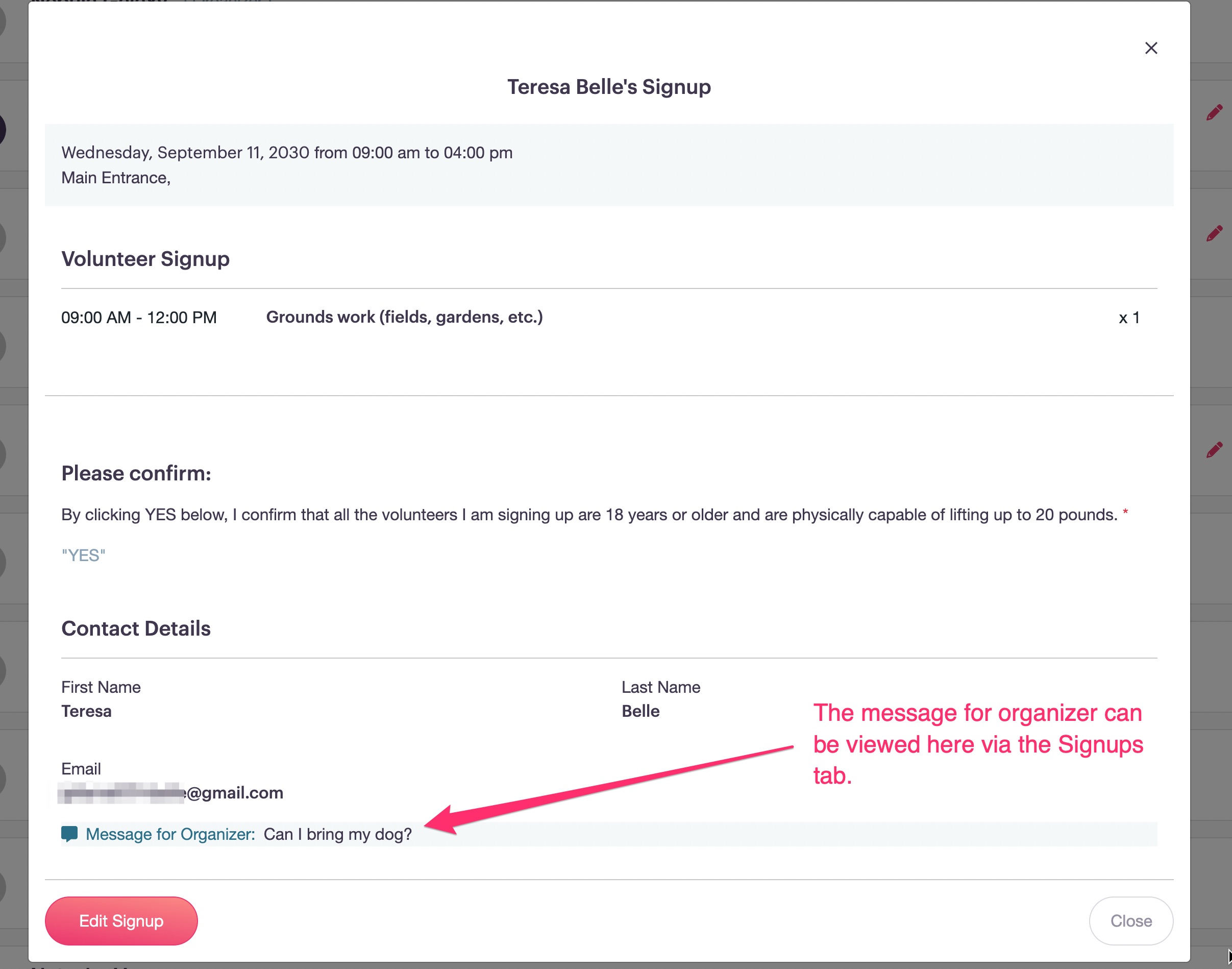
After clicking on the icon above:
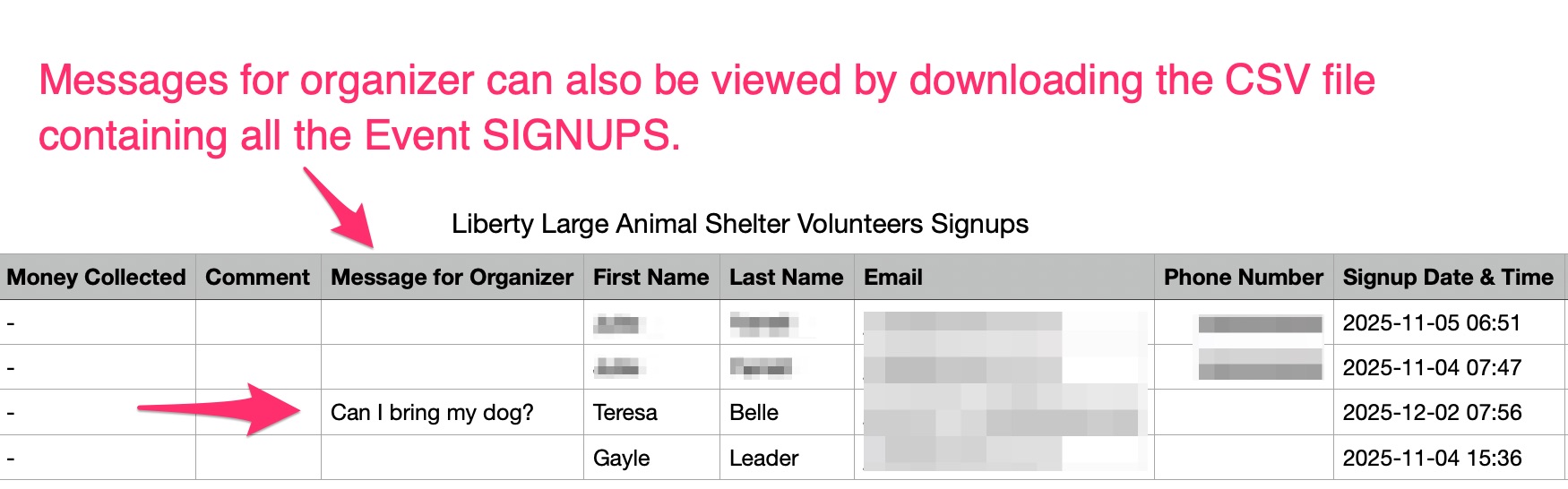
3. Via the Download a CSV file with all Event SIGNUPS: